Apps you need
The best shared calendar for shift workers: how to manage your rota with Howbout

Ever tried to make plans… only to realise your rota just dropped and everything’s changed?
Yeah. Shift work doesn’t just mess with your sleep, it makes your entire social life harder to keep on track.
Because when your hours change every week, even simple plans turn into a back-and-forth of checking, re-checking, and “I’ll let you know” messages.
That’s exactly where Howbout comes in, the shared calendar built for real-life schedules, not just 9–5 routines.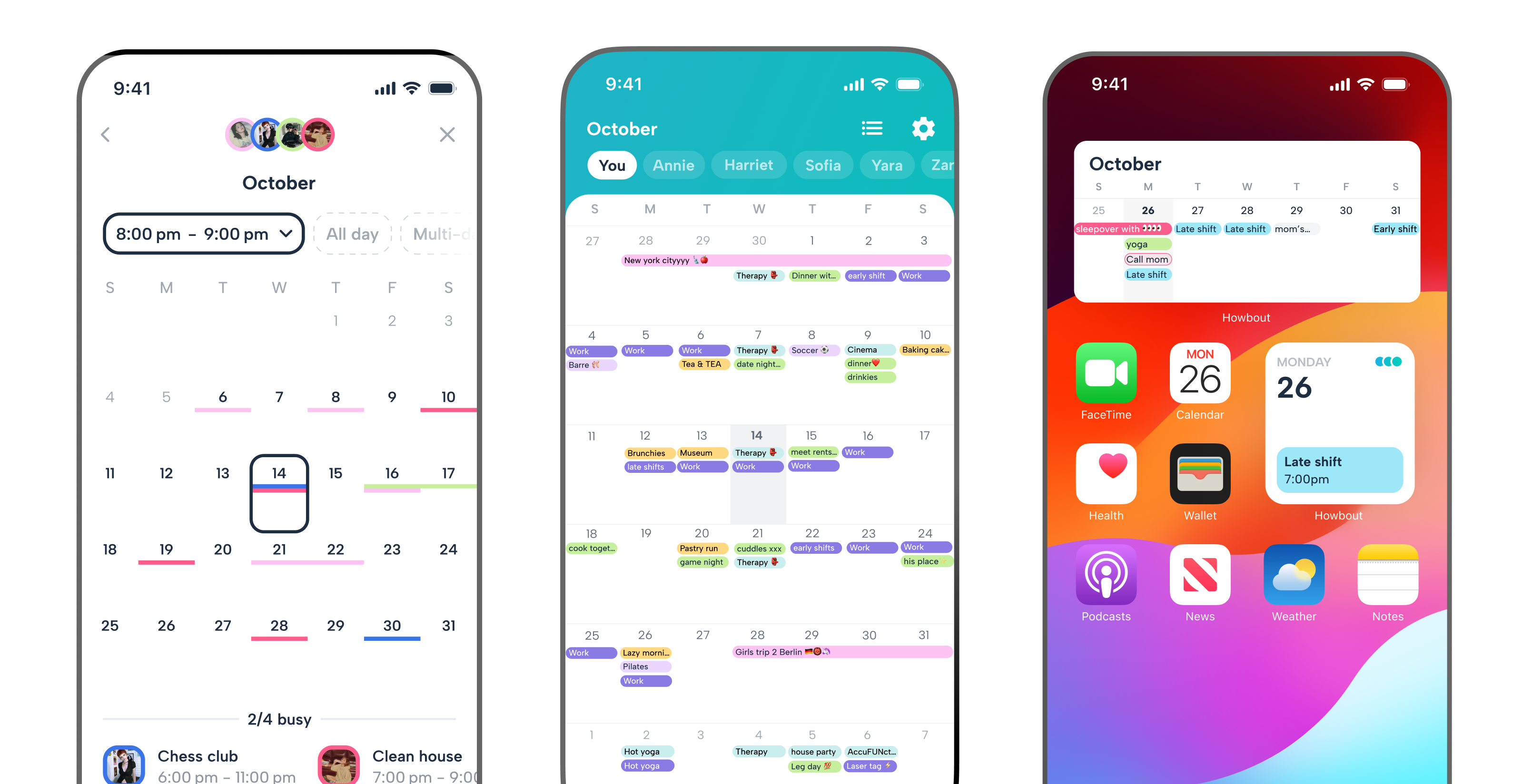
Why shift workers need a better calendar
Most calendar apps assume your week looks the same. Monday to Friday. Same hours. Same routine.
But that’s not how shift work works. Your availability changes constantly, and keeping track of it (and sharing it) becomes a full-time job in itself.
Howbout is built for exactly this.
Stop the “I’ll check my rota” loop
Howbout is the ultimate shared calendar for your life, whether it’s booking time to see friends or keeping an eye on your upcoming shifts.
No more digging through messages or screenshots to figure out when you’re free.
With Howbout, your availability is always up to date and visible to the people who need it, you can just open the app and know instantly.
Add your shifts in seconds (not one by one)
This is where Howbout really changes the game for shift workers. Instead of manually adding every single shift, you can use the Multi-add feature to select multiple days at once and add your rota in one go.
Got your schedule for the week (or month)? Tap the dates, apply your shift, and the work is done in seconds.
Keep work and life in sync
Howbout syncs with Google Calendar, Outlook, and iCloud, so your work schedule and personal plans live side by side, meaning you won’t double-book plans on a work night.
You can still keep certain events private with event privacy settings, choosing to let all friends, close friends, or nobody see your shift details.
Plans that actually happen
When your schedule is unpredictable, making plans takes more effort, so they’re easier to drop.
Howbout makes it easy to lock things in with the people who matter, so you’re always making time for your friendships and relationships, no matter how busy work gets.
Create plans, add people, chat inside the event, and keep everything in one place.
Howbout vs. traditional calendars for shift workers
| Feature | Howbout | Standard calendars |
|---|---|---|
| Multi-day shift entry | Add multiple shifts at once with Multi-add | Add each shift manually |
| Real-time availability | Always up to date for you and your friends | Often outdated or unclear |
| Shared visibility | Friends can instantly see when you're free | Requires constant back-and-forth |
| Event chat | Plan and chat in one place | Details split across apps |
| Ease of use | Fast, flexible, built for real life | Rigid and hard to keep flexible |
3 tips for managing shift life on Howbout
Use Multi-add for your rota
Block out your entire week (or month) in seconds so your availability is always accurate.
Color-code your shifts
Different colors for early, late, and night shifts mean you have instant clarity when you glance at your week.
Plan around your off days
As soon as your rota is in, use it. Lock in plans with friends on your free days before they disappear.
Ready to take control of your schedule?
Shift work doesn’t have to mean a chaotic social life.
With Howbout, you can stop juggling screenshots, messages, and mental notes, and start actually making plans that fit your life.
Because your schedule might change every week, but your plans don’t have to.


