Howbout features
Curate your calendar: Aesthetic themes and color options now on Howbout+

We’ve finally launched two of the most-requested aesthetic updates in our Howbout+ subscription, built for all the people who:
- live by a color-coded calendar
- love a clean digital planner vibe
- want their calendar to feel less like admin and more like an extension of them
Whether you’re scheduling a catch-up with friends or planning a weekend somewhere exotic, your calendar just got way prettier (and way more organized).
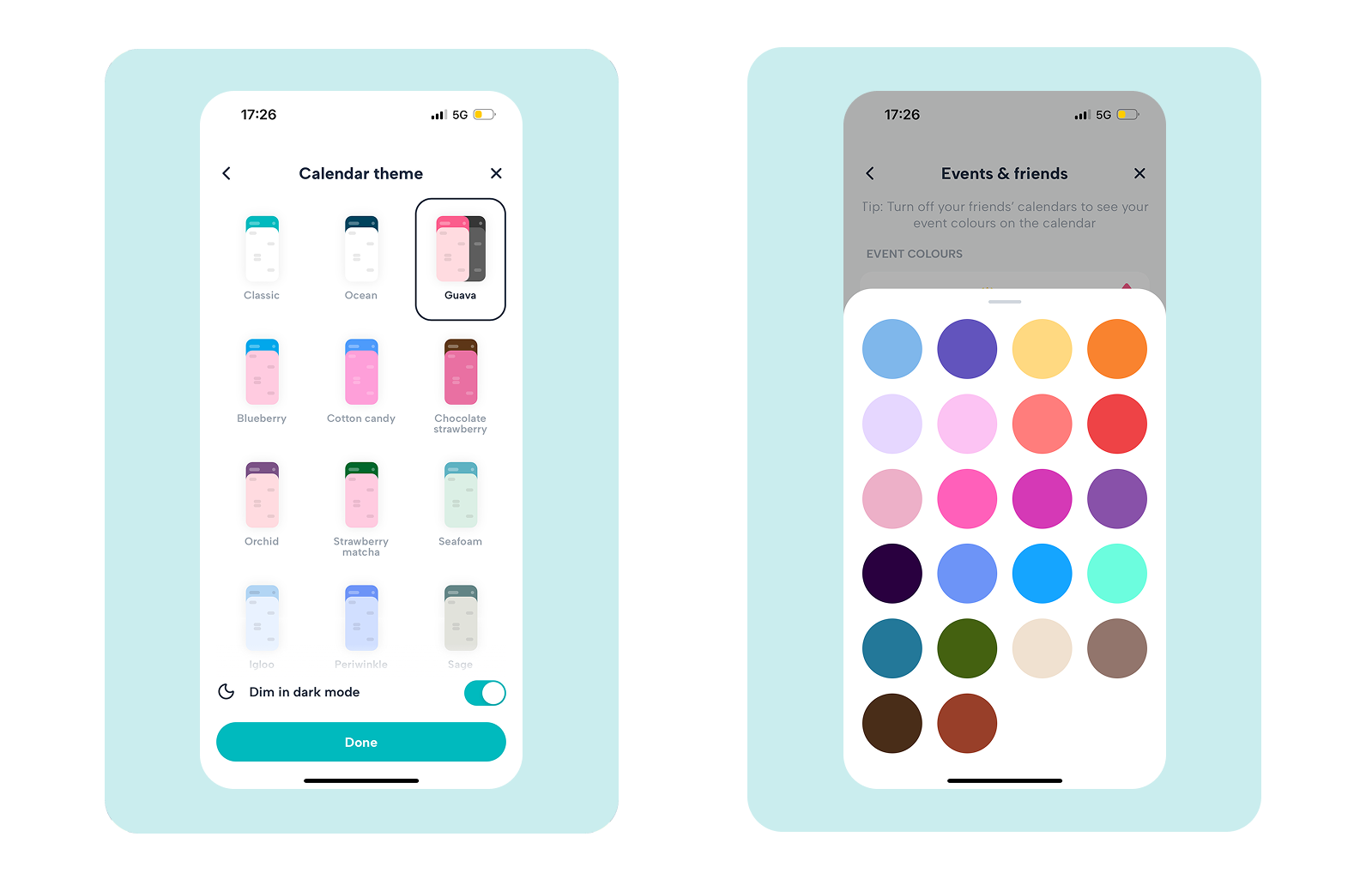
🌈 New: Custom theme options
Most calendars are corporate and functional, but that doesn’t reflect the exciting plans you have in them!
With custom theme options, you can now change the look and feel of your entire Howbout screen using exclusive premium skins.
What you get:
- Curated themes are based on our most popular color combinations
- A more cohesive, aesthetic experience across the app
- A calendar that feels like an inspiration board, not a to-do list
If you’ve ever searched for an aesthetic calendar app or a customisable way to keep track of plans with friends, this is basically your sign.
🎨 New: Expanded color range
If your life is busy, our free range of colors just don’t cut it. For all the different events you have going on, you need more to keep track of everything!
That’s why we’ve unlocked an expanded Premium color range with 30+ colors to choose from, so you can organise your plans with maximum clarity.
What you get:
- More color options to separate everything properly, from the gym to date nights, to Work, to travel, and all the other random life admin you can think of.
- Instant clarity when you look at your week, so you know what’s coming up next at a glance
This update is perfect if you’re into visual time management or you just want your schedule to look satisfying.
💙 Why upgrade to Howbout+?
Howbout will always be free for making plans with friends!
But Howbout+ is for the users who want their calendar to feel:
✨ More Personal
Howbout Week View Widget: Our standard widget keeps it simple and effective, showing your next plan only. But our Howbout+ widget shows your entire week at a glance, keeping your color-coding intact!
Our standard widget keeps it simple and effective, showing your next few plans in a clean, chronological list.🚀 More Organised
Multi-Add Plans: The ultimate time-saver. Quickly add multiple plans to your schedule all at once so you can spend less time typing and more time hanging out.
VIP Support: Jump to the front of the queue. If you have a question or an issue, our team is on standby to help you out first.
🎨 More Aesthetic
Premium Icons & Styling: Make your events pop on the grid with special icons and sleek layout options designed for a cleaner look.
Here’s what’s included:
| Feature | Free | Howbout Premium |
|---|---|---|
| Colors | 8 basic colors | 30+ expanded color range |
| Themes | Classic Howbout | Custom themes based on our most popular colors |
| Widget | Upcoming plan | See your full weekly timeline directly from your home screen for better organization. |
| Support | Email support | VIP support, direct from the Howbout team |
How do I unlock custom colors on Howbout?
- Open Howbout
- Go to Settings → Subscription
- Start your trial to instantly unlock custom themes + a huge range of colors.


