Howbout features
Upgrade your plans: Your week view widget on Howbout+

We’ve officially launched our week view widget on Howbout+ for iOS and Android! Alongside our classic day view widget, you can now see your entire week’s plans straight from your home screen.
If your life is busy, our original day view widget just doesn’t cut it.
With all the different events you have, you need to see your whole week at a glance to keep track of everything!
This widget is especially helpful if you’re:
- 🏥 A shift worker juggling rotating schedules
- 🎓 A student balancing lectures, work shifts, and social plans
- 💼 Freelancing with different days in the office
- 🧠 Being neurodivergent and double booking plans
- 🏋️ Trying to fit gym, life admin, and actual fun into one week
- ✈️ Planning travel and needing to see where the gaps are
Whether you need a quick reminder of what’s coming up or you’re out with a friend checking your availability this week, your widget just got a serious upgrade.
👀 Why Week View Is a Game-Changer
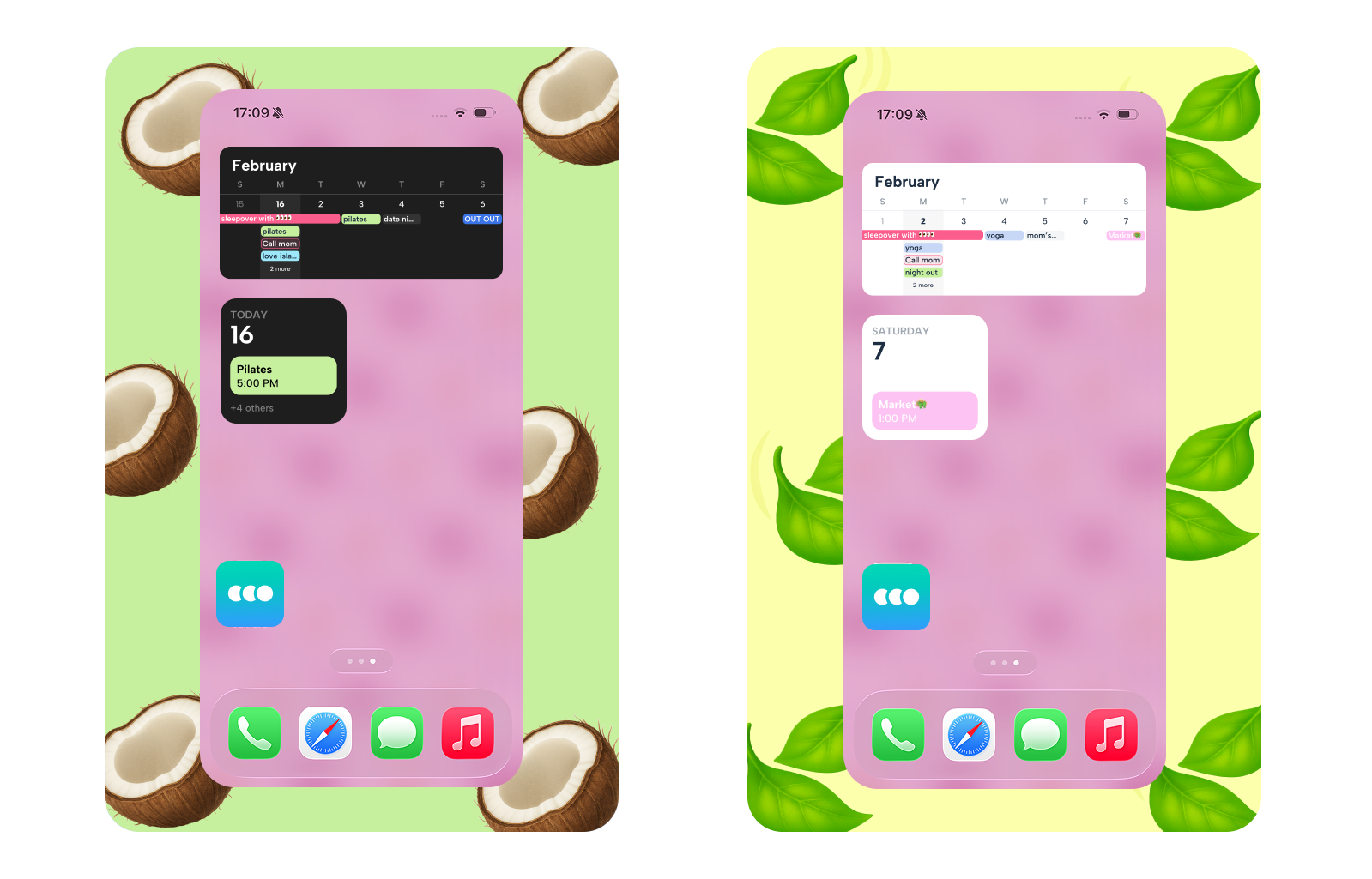
Now you can actually see:
- Which days are busy
- Where you’ve got free time
- What’s happening across the whole week
And that free time isn’t just empty space, it’s:
- Dinner with a friend
- Finally starting that hobby
- Going to the gym
- Reading the book you’ve had for months
- Or literally just doing nothing for once
When your whole week is visible, you stop guessing and start planning.
You can:
- Avoid double booking
- Protect your downtime
- Look ahead instead of feeling overwhelmed
- Get instant clarity at a glance
- Say “yes” to plans confidently
It’s visual time management, without the admin.
Why upgrade to Howbout+?
Howbout will always be free for making plans with friends 💙
But our premium subscription is for the users who want their calendar to feel:
✨ More Personal
Custom Calendar Themes: Match your calendar to your vibe with exclusive themes that go way beyond the basics.
Unlimited Color Options: Get the full rainbow. Use a custom color picker to organize your life in exactly the right shade.
🚀 More Organised
Multi-Add Plans: The ultimate time-saver. Quickly add multiple plans to your schedule all at once so you can spend less time typing and more time hanging out.
VIP Support: Jump to the front of the queue. If you have a question or an issue, our team is on standby to help you out first.
🎨 More Aesthetic
Premium Icons & Styling: Make your events pop on the grid with special icons and sleek layout options designed for a cleaner look.
Ad-Free Experience: Keep your focus on your social life with a completely seamless, uninterrupted interface.
Here’s what’s included:
| Feature | Free | Howbout Premium |
|---|---|---|
| Widget | Upcoming plan | See your full weekly timeline directly from your home screen for better organization. |
| Colours | 8 basic colours | 30+ expanded colour range |
| Themes | Classic Howbout | Custom themes based on our most popular colors |
| Support | Email support | VIP support, direct from the Howbout team |
How do I unlock the Week View Widget on Howbout?
- Open Howbout
- Go to Settings → Subscription
- Start your trial to instantly unlock the Week View Widget
Check out this FAQ on how to add a widget for iOS and Android on Howbout!


